
Back up & restore your data
Snack App keeps everything on your device - no account, no server, nothing collected. That privacy comes with one responsibility: if you delete the app or lose your phone, the data goes with it. The fix is a backup in your own cloud - automatic if you let it be, manual if you prefer.
Automatic backup (recommended)
Snack App can keep a backup in your iCloud (iPhone) or your Google Drive (Android), updated automatically as you use the app - nothing to remember, and it lives off your device, so it survives a lost, broken, or wiped phone.
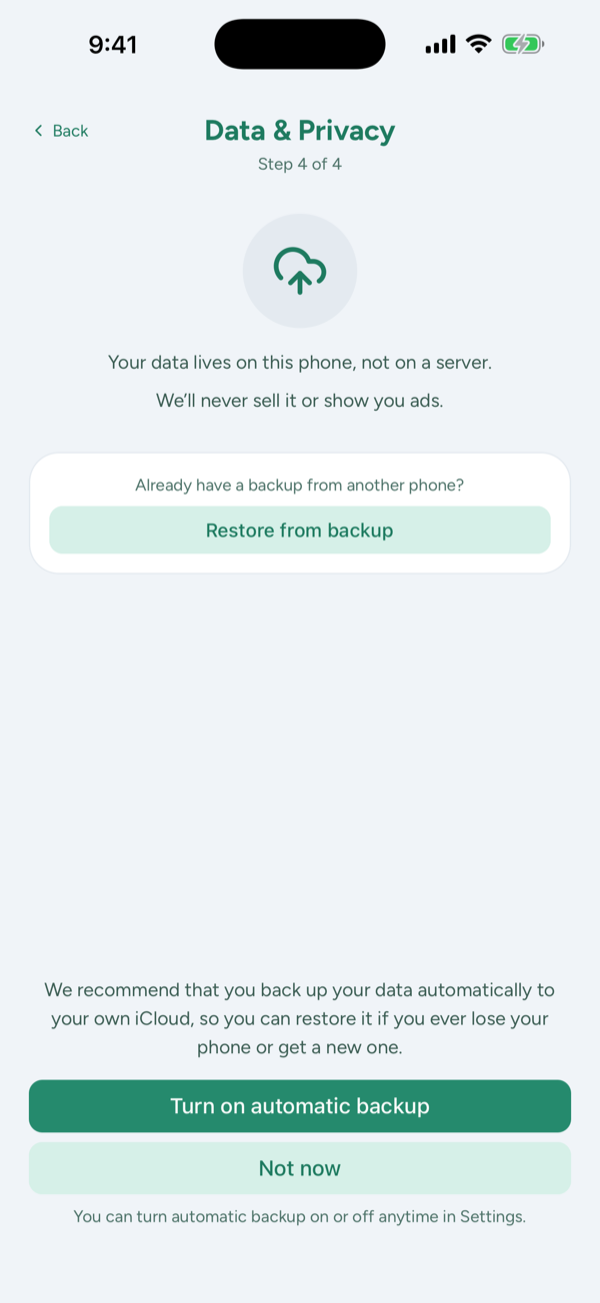
- During onboarding: the last step recommends automatic backup - answer Yes and you're done.
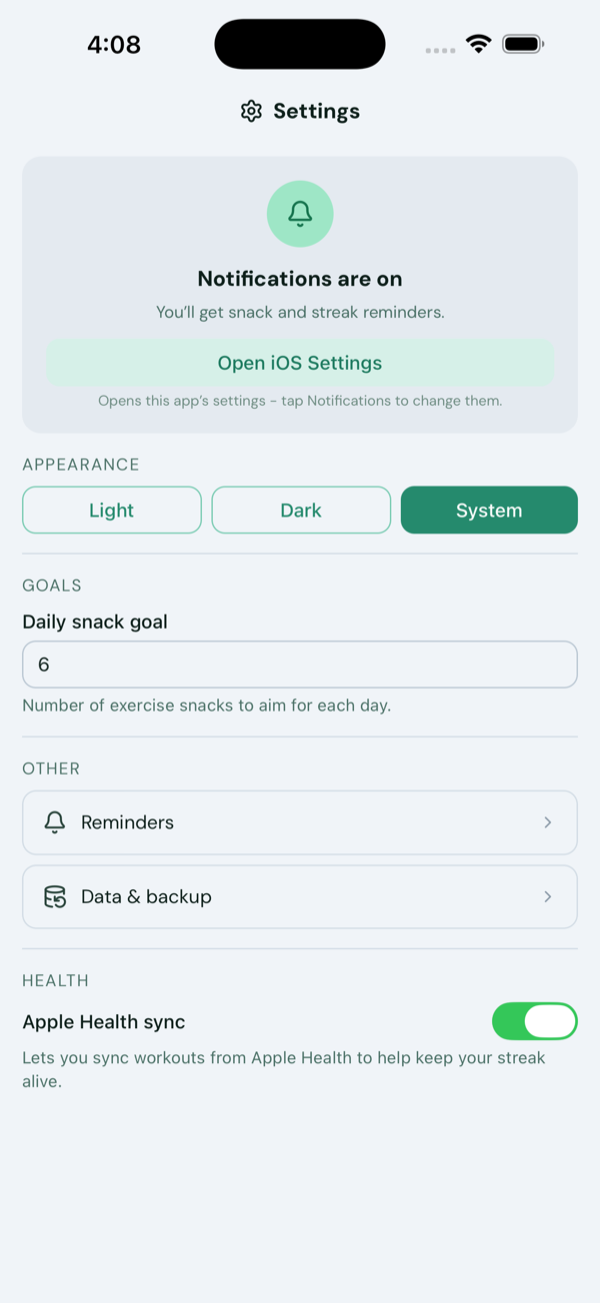
- Any time later: open Settings → Data & backup and turn on Backup automatically. (On Android this connects your Google account first.)
The same screen shows when the last backup ran, and has a button to run one on the spot.
Restore on a new phone
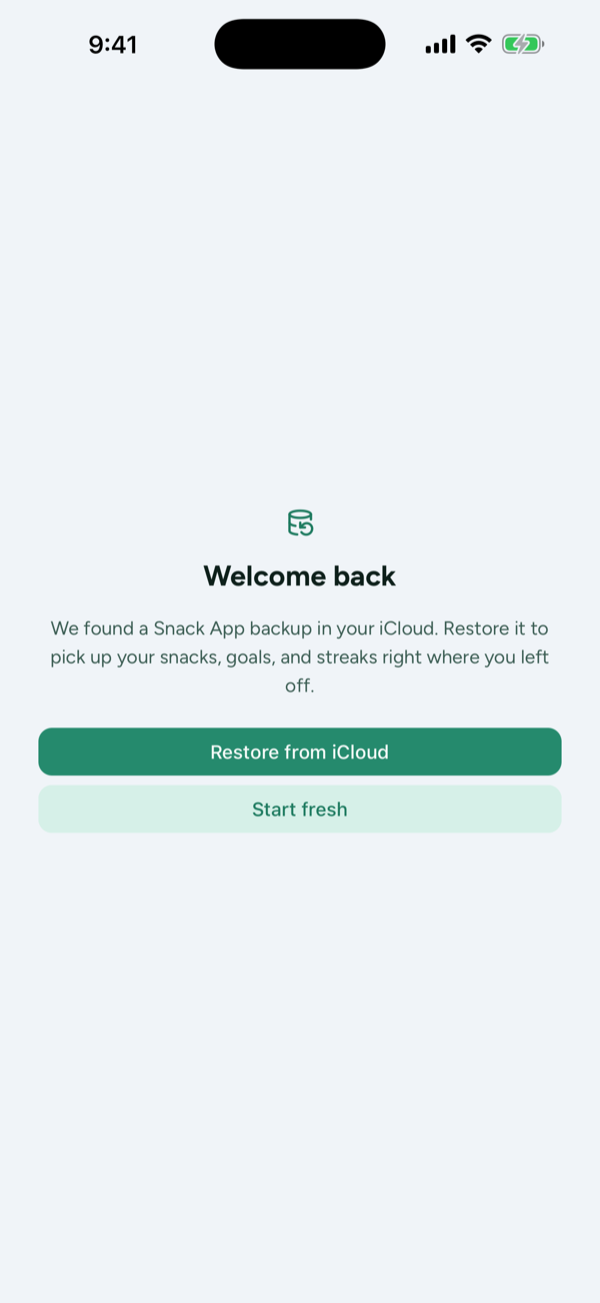
- iPhone → iPhone: install Snack App and open it. If a backup is waiting in your iCloud, a Welcome back screen offers to restore it before anything else - one tap and your snacks, goals, and streaks are back.
- Android → Android: during onboarding, tap Restore from Google Drive.
- Any time later: Settings → Data & backup → Restore from iCloud (or from Google Drive).
- Switching between iPhone and Android? The automatic backups don't cross platforms - use the manual file below: export on the old phone, then Restore from backup during onboarding (or Restore from a file in Settings) on the new one.
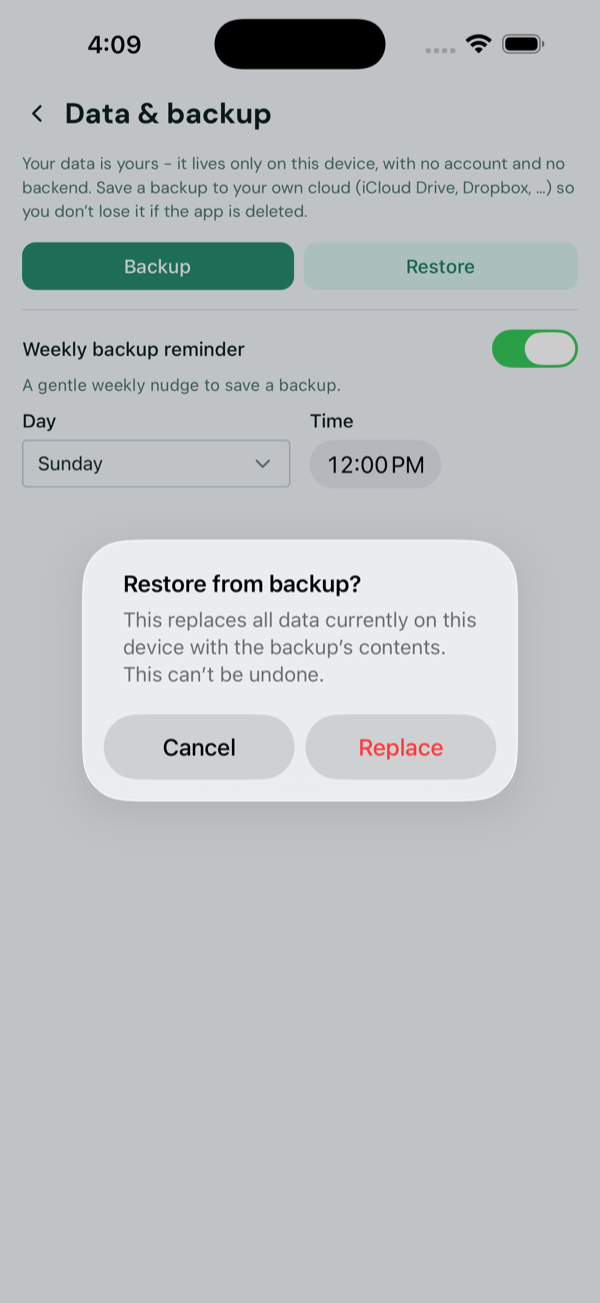
⚠️ Restoring replaces everything currently in the app with the backup's contents, and it can't be undone. Snack App also warns you before an automatic backup with more snacks would be overwritten by a device with fewer - so a fresh install can't silently clobber your history.
Manual backup - to any cloud
Prefer Dropbox, Box, or another provider? The manual export is a single file you can save anywhere your phone's file picker reaches. It's also handy for keeping an extra copy alongside automatic backup.
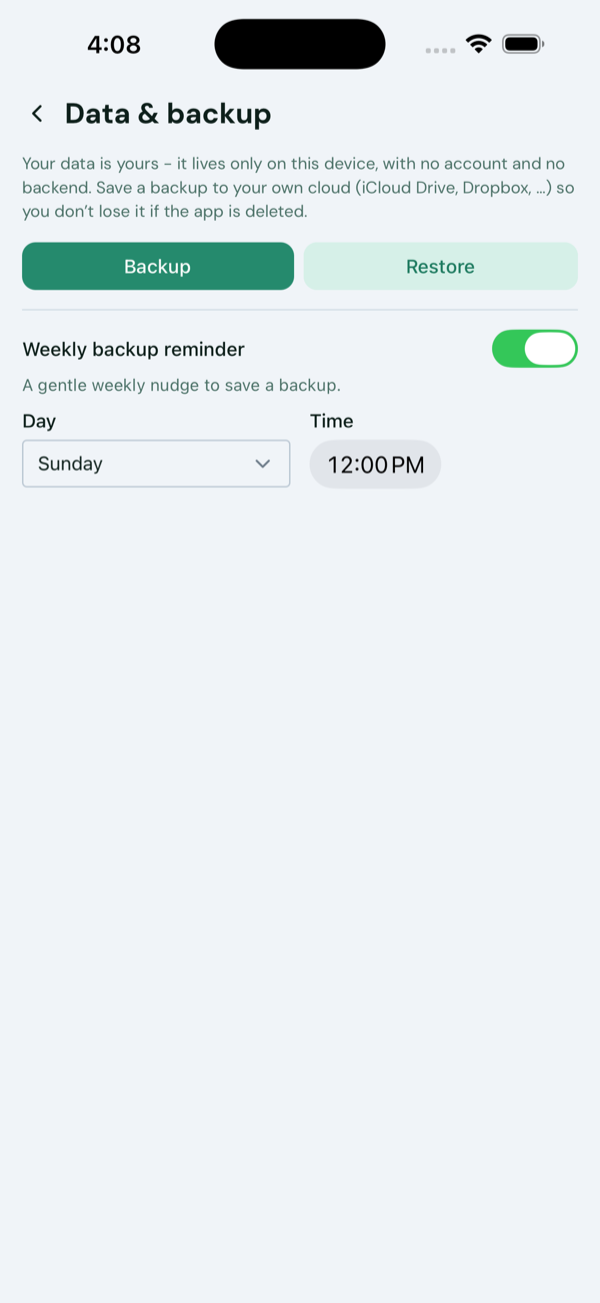
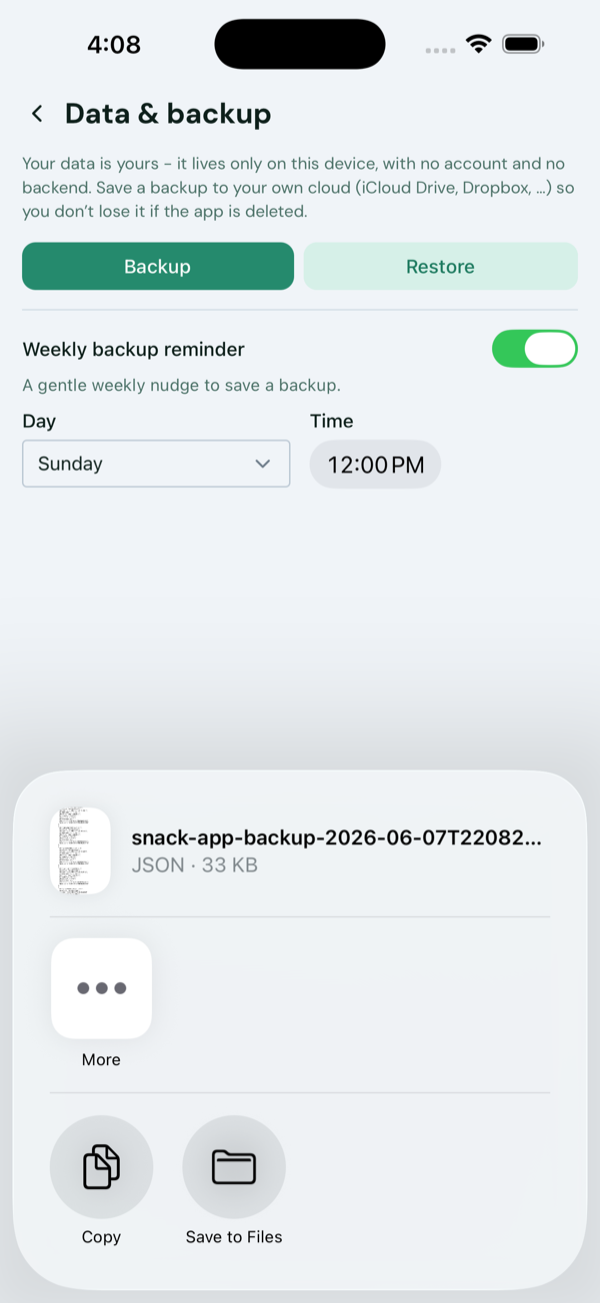
- Open Snack App and go to Settings → Data & backup.
- Tap Backup.
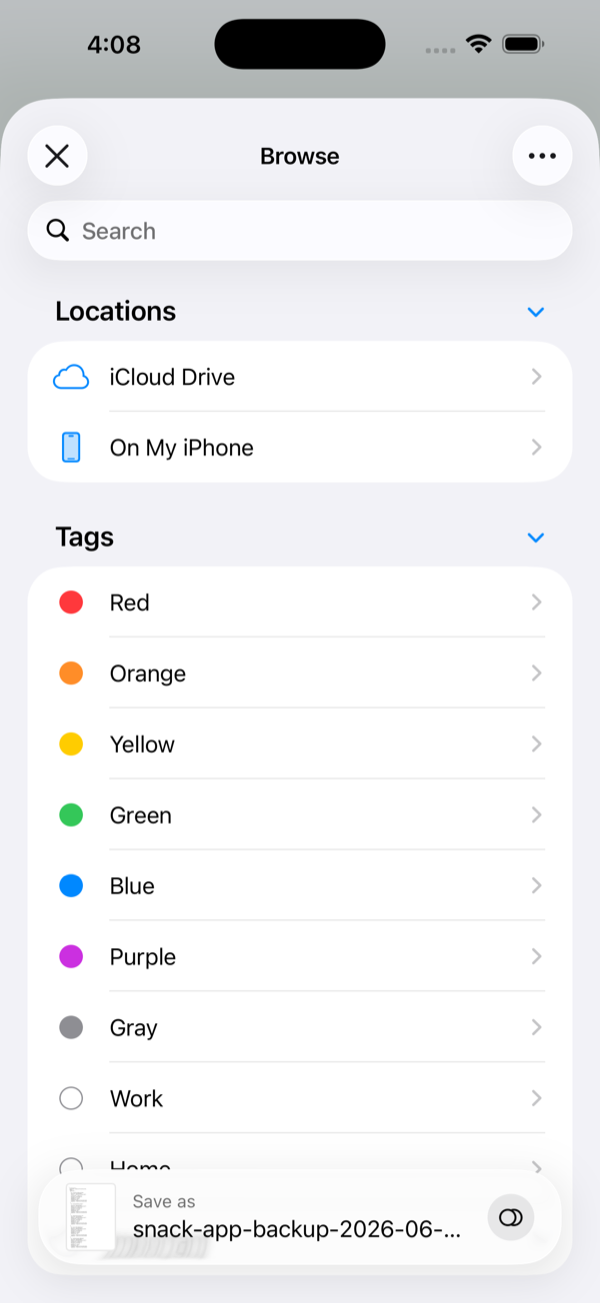
- Your phone's share sheet opens - tap Save to Files (iPhone/iPad) or pick a destination (Android).
- Choose where to keep it. Any cloud that plugs into the iOS Files app or
Android's file picker works:
- iCloud Drive or Google Drive
- Dropbox, Box, Microsoft OneDrive, Proton Drive, pCloud, or a self-hosted Nextcloud - install the provider's app and it appears as a location.
- On My iPhone works in a pinch, but the file stays on the device - fine for a quick copy, not for true safekeeping.
- Tap Save. A dated file like
snack-app-backup-2026-06-07….jsonis written to your cloud. Every export is its own file, so nothing gets overwritten.
A manual export is a one-time copy - it doesn't update itself as you log.
Restore from a file
To bring a manual backup file back - on a new phone, or across platforms:
- Go to Settings → Data & backup and tap Restore (during onboarding: Restore from backup).
- Confirm Replace - the same warning as above applies: restoring replaces everything currently in the app.
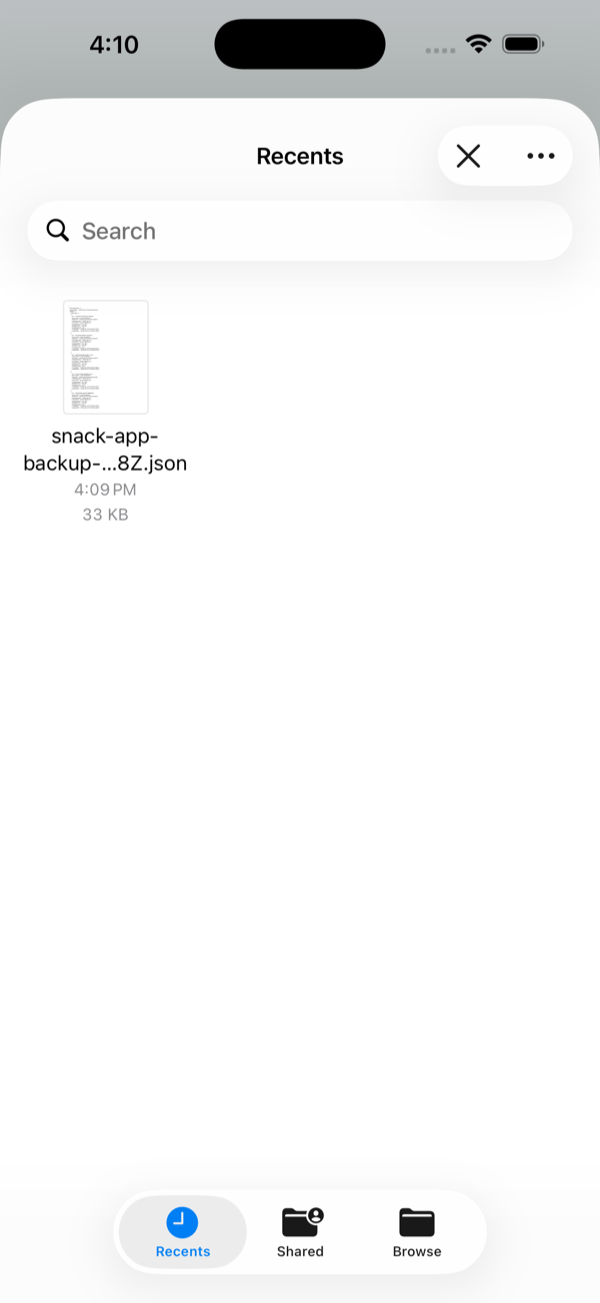
- Pick your backup
.jsonfile from wherever you saved it. Snack App restores it and confirms how many records came back.
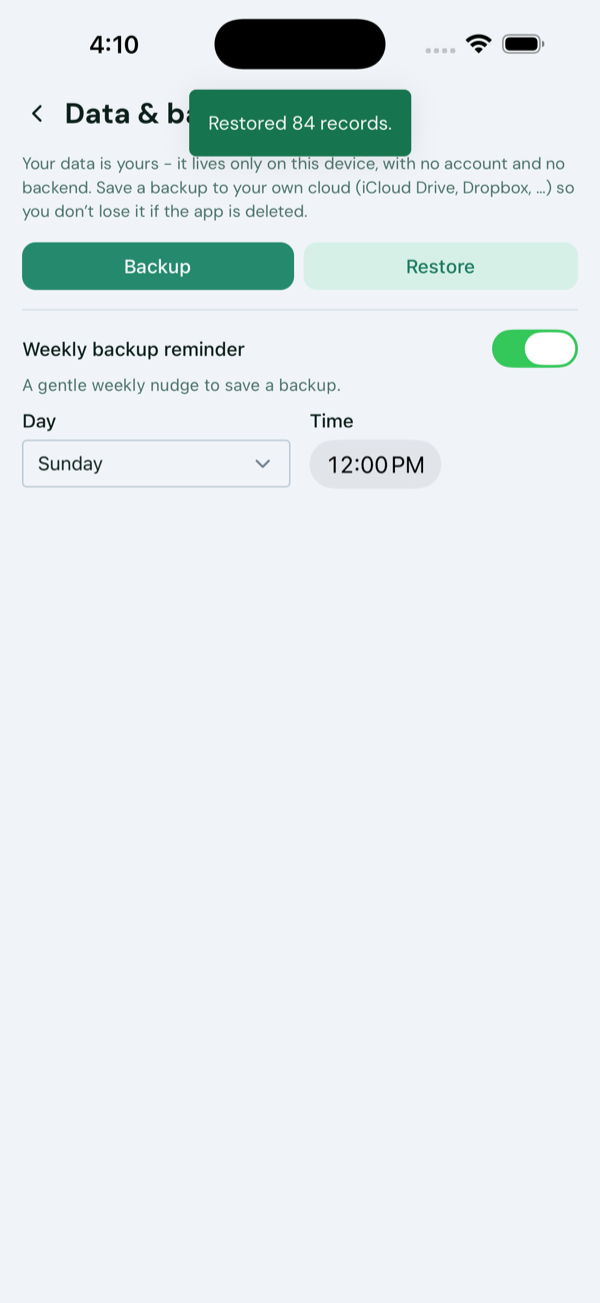
Sticking with manual? Get reminded
Manual backups are easy to let slip. In Settings → Data & backup, turn on Weekly backup reminder and pick a day and time for a gentle weekly nudge. (With automatic backup on, you don't need it - your backup stays current on its own.)
Where your backup goes
Automatic backups go to app-private storage in your iCloud or Google Drive; manual exports travel straight from your phone to the cloud you choose. Either way, we never receive your data - there's no Snack App server to send it to. How it's stored after that is governed by your provider's privacy policy. See our Privacy Policy for the full picture.