
Sync with Apple Health
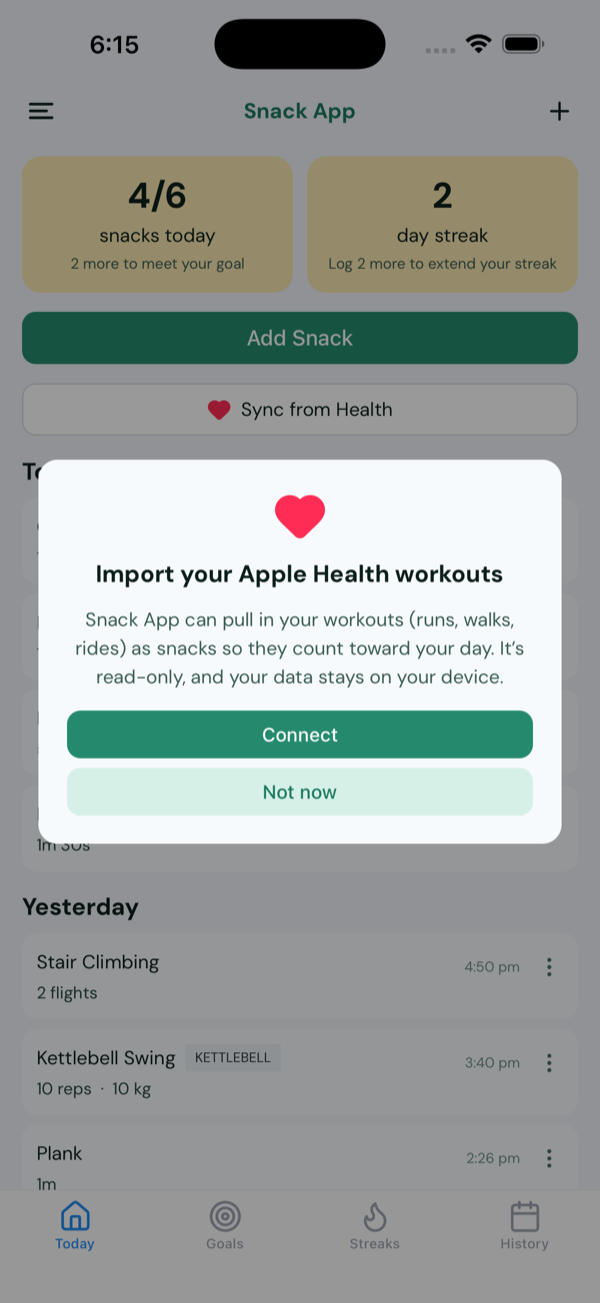
On iPhone, Snack App can pull in your workouts from Apple Health - runs, walks, rides - automatically, so you don't have to re-enter them manually. Imported workouts count toward your goals and streak. It's read-only, stays on your device, and is entirely optional.
This page is for iPhone. On Android, the same works through Health Connect.
Turn it on
- On the Home screen, tap Sync from Health. The first time, a short note explains what it does - tap Connect.
- iOS shows its Health Access sheet. Turn on the data you're happy to share (workouts, distance, active energy…), then tap Allow.
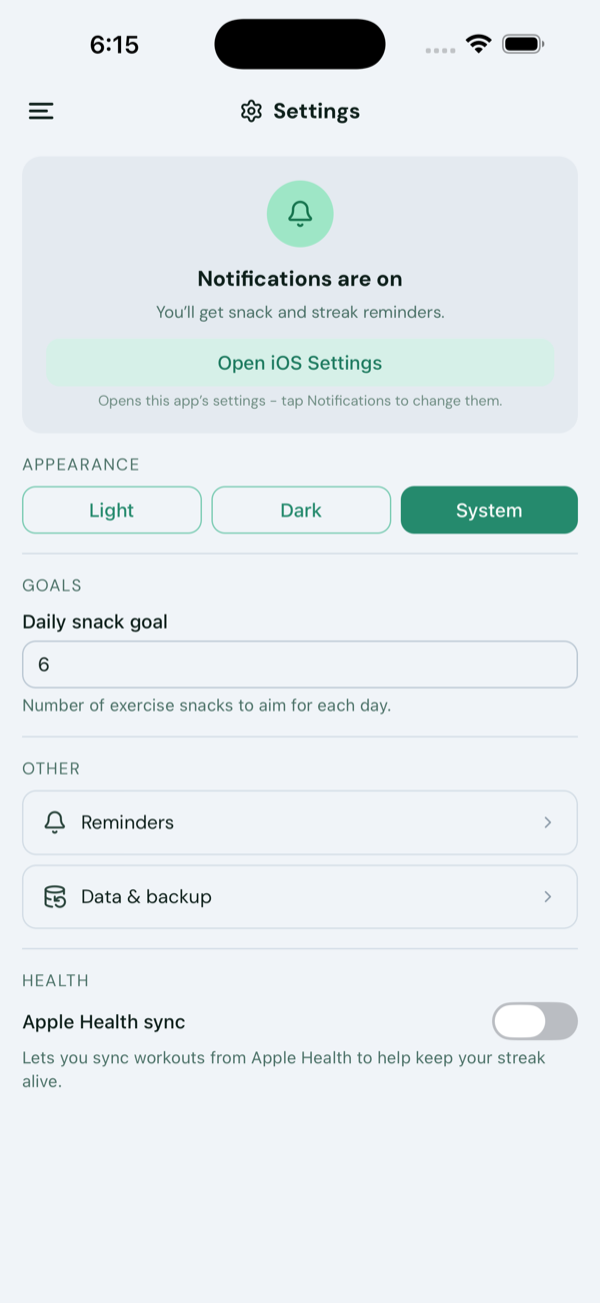
- You can do the same from Settings - flipping Apple Health sync on brings up that same Allow prompt and runs a first sync.
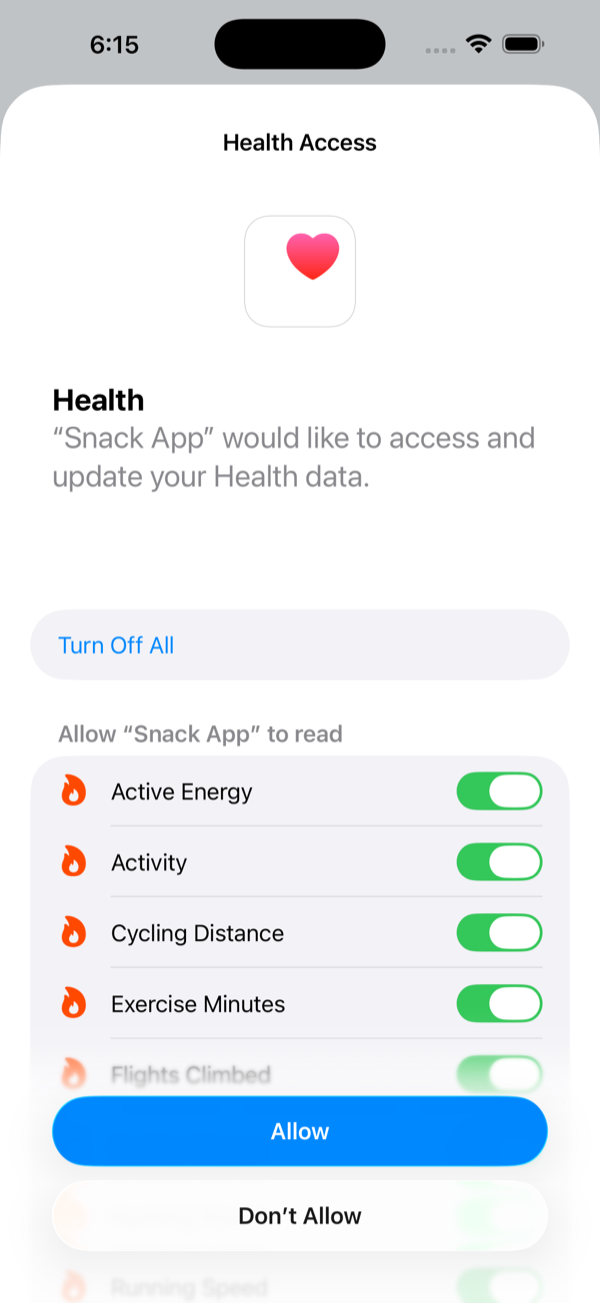
Tapped “Don't Allow” by mistake?
iOS shows the Health prompt only once - so turning Apple Health sync off and back on won't bring it back, and Snack App can't even tell that access was denied (iOS keeps read-grant status private). To fix it, grant access directly in iOS: Settings → Health → Data Access & Devices → Snack App, and switch on the data you want to share. (That's the same screen you'd use to turn it off later.)
Import your workouts
Tap Sync from Health whenever you like to pull in new workouts. Snack App only adds workouts from the day you connected onward - it won't backfill years of history - and marks imported entries with a small Health icon so you can tell them apart.
No workouts showing up?
If a sync brings in nothing, it's almost always that there's nothing new to import yet:
- The workout has to be in Apple Health first - recorded by your Apple Watch or another fitness app that writes to Health.
- Snack App only imports workouts from the day you connected onward, so older history won't appear.
- A workout you just finished can take a moment to land in Apple Health - give it a minute, then tap Sync from Health again.
- Still nothing? Check that workout access is on under Settings → Health → Data Access & Devices → Snack App.
What we read - and don't
- Read-only. Snack App never writes anything back to Apple Health.
- Imported data is treated like any other entry: it stays on your device and is never uploaded, shared, or sold.
- Only workouts (and related distance/energy) are read, purely to log them as snacks.
Turn it off
- In Snack App: Settings → Apple Health sync, switched off.
- Fully revoke in iOS: Settings → Health → Data Access & Devices → Snack App, then Turn Off All.
Privacy
Connecting Apple Health is optional, and the app works fully without it. Health data is read only, never leaves your device, and is never used for ads or marketing. See our Privacy Policy for the full picture.